
Raw files. Positive results.
 Windows · Coming soon
You’ve shot the roll and photographed the negatives. Raw Positive takes it from there. Open the folder, choose the film you shot, and every frame comes back cropped, straightened and turned positive, ready to share or to keep working on. A whole roll in one sitting, instead of an evening lost to a single frame.
It starts with the film
Every film stock responds to light in its own way. Raw Positive reads the film base from your own negative, then uses real-world data for your film stock to steer the development. There’s no guessing at the mask and no chasing a color cast from one frame to the next. The first result is usually close to finished, and the roll looks like one roll.
The whole roll at once
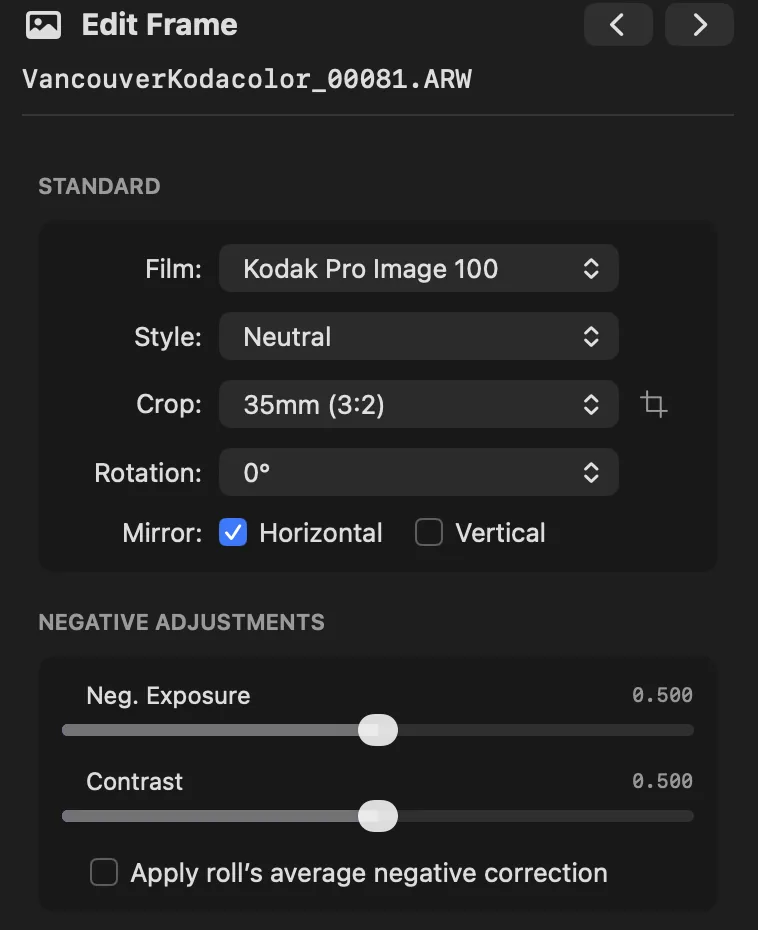
Set up a new roll the way you shot it: film stock, format, orientation and style, plus the camera, lens and date for the EXIF. Every frame comes in with those settings, cropped and squared up for you. Crop presets cover common film formats, from 35mm and medium format to panoramic. Save your usual setup in Preferences and every new roll starts from it. Change any frame on its own when you need to, then export the whole roll in one pass.
The contact sheet
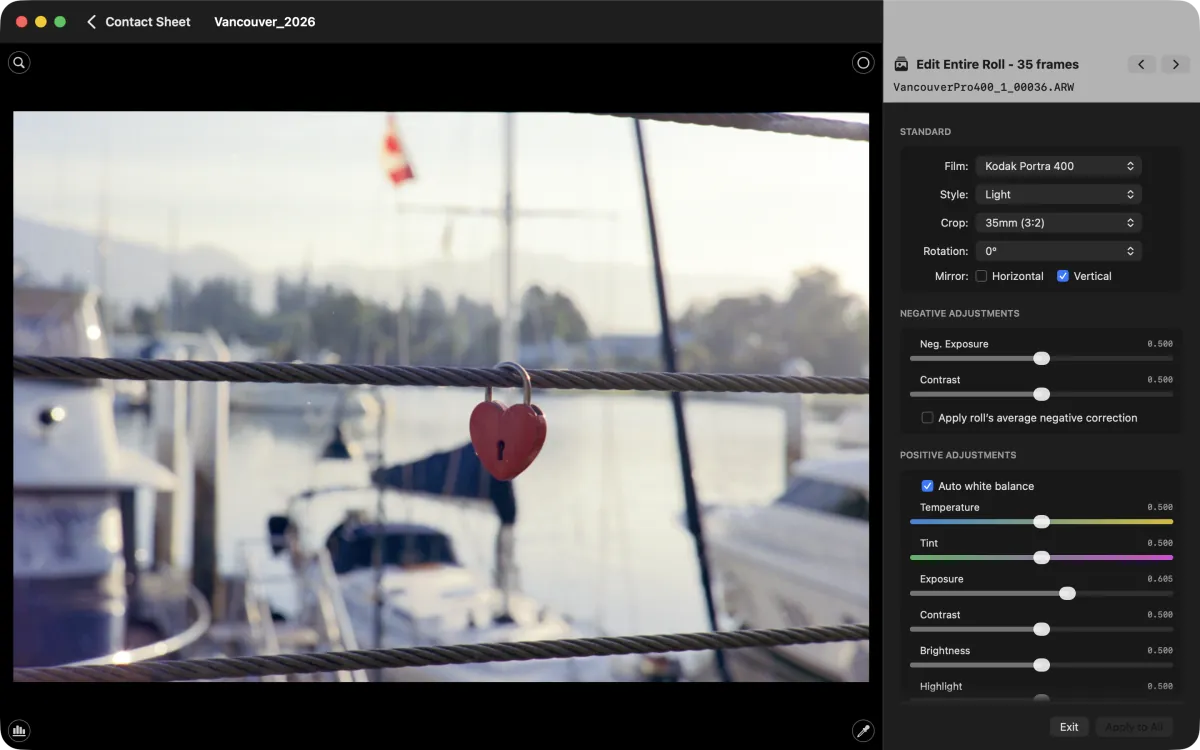
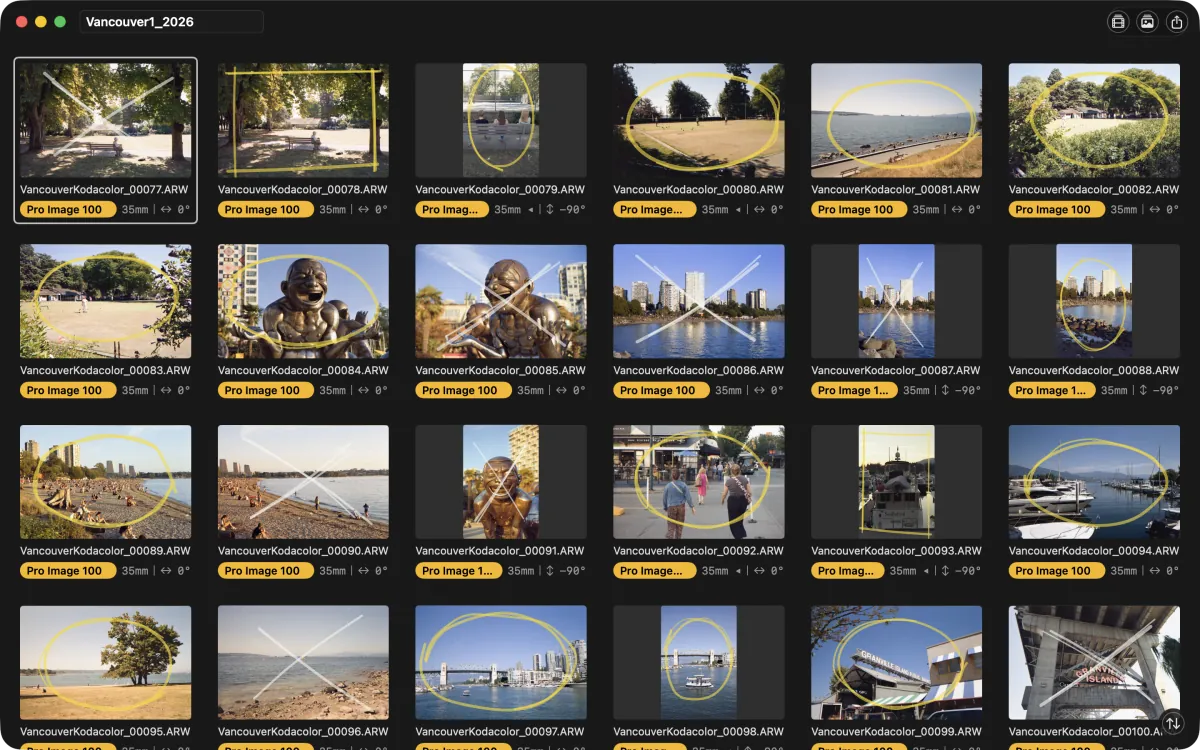
Your roll opens as a contact sheet, like the proof sheets you used to print in the darkroom. Circle the keepers, box the maybes and put an X through the misses, then leave the rejects out when you export. Save the sheet as a PDF to file with your negatives.
Black and white, done as black and white
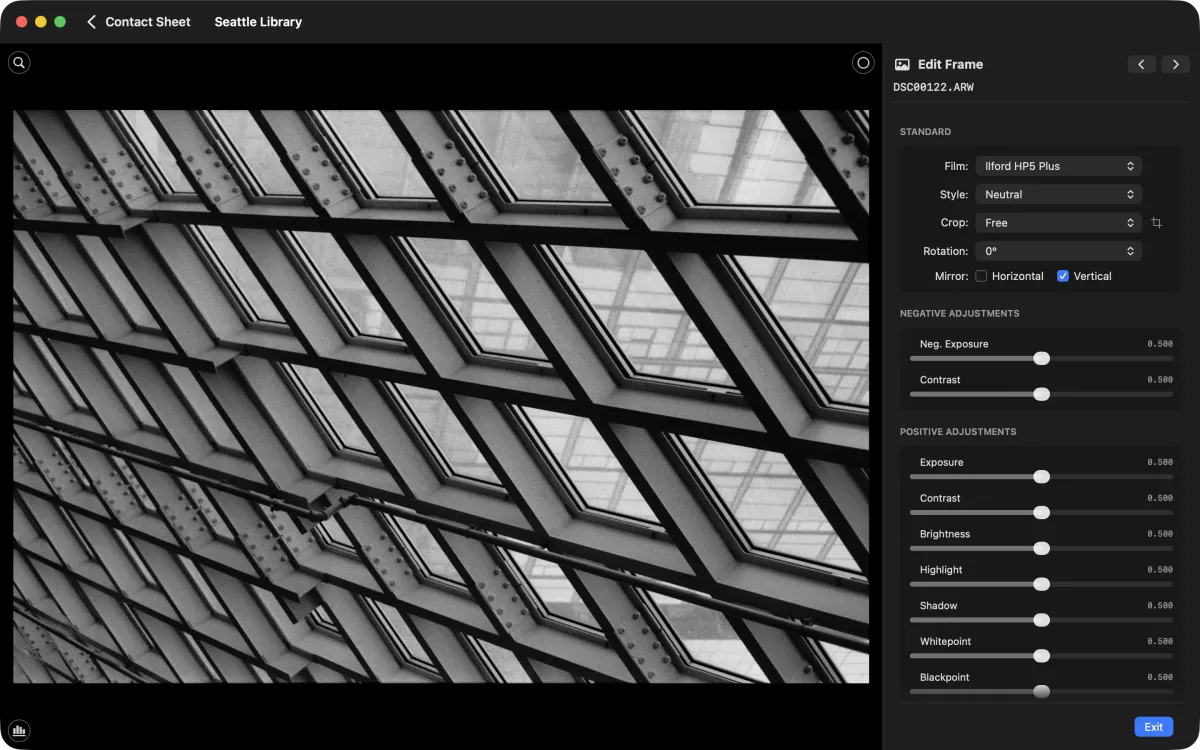
Raw Positive mixes to monochrome before inverting, not after, so sensor noise averages away and only the film’s grain remains. The result is a true black-and-white DNG that stays neutral in your raw editor, with deep shadows that roll off toward black like a darkroom print.
Fine-tune any frame
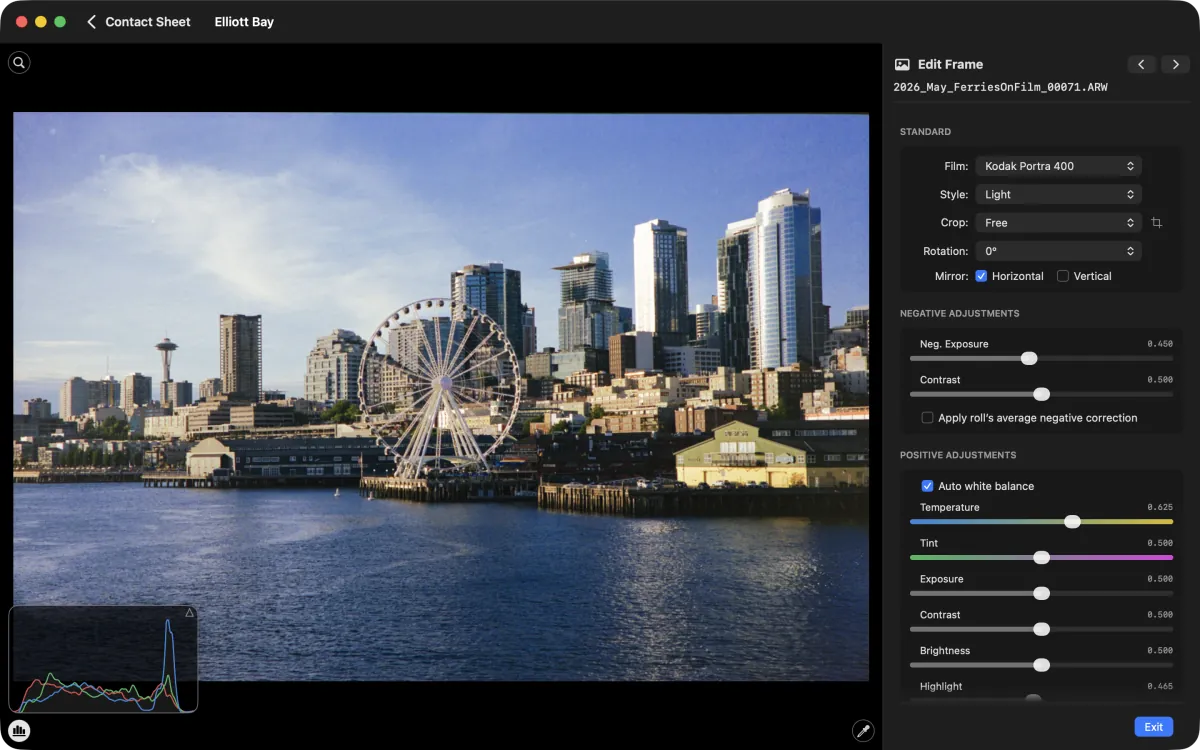
When a frame needs more, start from one of four styles (Neutral, Light, Deep or Bold), then fine-tune with the adjustments you’d expect, from exposure and contrast to white balance with an eyedropper. Negative Exposure rescues the frame you misjudged when shooting, rolling highlights off like film instead of clipping them. Color noise reduction is automatic. When you want to go further, your DNG opens in your raw editor like a camera raw file, with the white balance and crop still yours to change.
28 film stocks
Choose from sixteen color negative films, motion-picture stock included, and twelve black-and-white films, from today’s favorites to a few classics. Several black-and-white films also come with options for other developers and for push or pull processing. Your exact film doesn’t need to be on the list. Your camera, your light and your white balance shape the result too, so pick a close match and experiment.
Less time editing, more time shooting
Film stock, style, crop format, rotation and mirroring each have a single-key shortcut. Select a run of frames and change them all with one keystroke. Starting a roll, saving and exporting have shortcuts too. Press ? to see them all.
Raw in, originals untouched
Raw Positive reads raw and DNG files from a wide range of cameras, from mirrorless and DSLR bodies to medium-format backs. See supported formats for the full list. Your original files are never changed.
Your photos stay on your Mac
All processing happens on your Mac. There’s no account, nothing is uploaded and nothing is collected automatically. Purchases go through the App Store, and a diagnostics report is only created if you choose to save one. Privacy policy
Free to start editing and sharing
- Every feature is in the free version
- Unlimited JPEG exports at 1280 px on the long edge, sized for sharing on social media
- Four frames in total at full resolution, as DNG or 16-bit TIFF, so you can judge the full quality for yourself
- Contact sheet PDFs
A one-time, in-app purchase unlocks
- Unlimited, full-resolution DNG, TIFF and JPEG exports for every frame
- A choice of additional JPEG sizes